
Download the vsbdt APK —
Fast Install, Real Winnings
Get the official vsbdt app on your Android phone in under two minutes. Cricket betting, live casino, slots, bKash and Nagad deposits — everything works offline-smooth, even on a slow connection. Free to download, no sign-up needed just to install.
Always download the APK directly from this page. The file hosted here is the latest official build — the same one served to players across Bangladesh every day. Downloading from third-party sites risks getting an outdated or modified file.
| Version | 3.9.0 |
| File Size | 36 MB |
| Min Android | 7.0 (Nougat) and above |
| Last Updated | 18 November 2026 |
| Price | Free |
| Language | English / Bangla |
iPhone or iPad? Add to Home Screen
iOS does not support APK files. Instead, open vsbdt.im in Safari and follow these steps to get a full-screen shortcut that works like a native app.
- 1 Open https://vsbdt.im in Safari on your iPhone or iPad.
- 2 Tap the Share button (the box with an arrow pointing up) at the bottom of the screen.
- 3 Scroll down in the share sheet and tap "Add to Home Screen".
- 4 Give it a name (e.g. "vsbdt") and tap Add in the top right. The icon appears on your home screen.
- 5 Tap the icon to open vsbdt full-screen. Log in and start playing.
Games You Can Play Right Inside the App


Over 2,800 Games On-Screen
Slots from JILI, JDB, PG Soft, Playtech and more. Fishing games, crash rounds, live tables — all accessible from the app lobby in one tap.
Cricket & Sports Betting
IPL, BPL, T20 and ODI fixtures load in real time. Place a bet on Bangladesh vs any opponent without leaving the app. See all cricket markets.
Live Dealers, Real Tables
Sexy Gaming and PG Soft live rooms stream straight to the app. Baccarat, roulette and blackjack with real dealers at any hour. Browse the full casino.
bKash & Nagad in 4 Minutes
Top up with bKash, Nagad, Rocket or bank transfer without switching apps. Minimum deposit ৳500. Withdrawals processed in about 41 minutes.
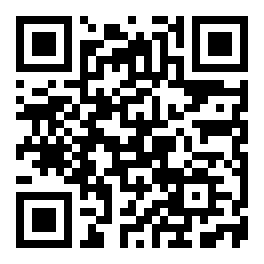
Android blocks APK files from outside the Play Store by default — that is a safety setting, not a problem. You just need to allow it once. The whole process takes about two minutes on any phone running Android 7.0 or later.
-
1
Allow Installation from Unknown Sources
Go to Settings → Security (or Settings → Apps → Special App Access → Install Unknown Apps on newer Android). Find your browser or file manager, then toggle "Allow from this source" to on. You only need to do this once. Android 8.0 and above ask you at the moment of install — you do not need to change a global setting first.
Minimum Android version: 7.0 (Nougat) -
2
Download the APK File
Tap the "Download APK" button on this page. Your browser will download
vsbdt.apk(36 MB). On a standard mobile connection this takes about 30–60 seconds. Wait for the download notification to appear in your notification bar before moving on. -
3
Open the Downloaded File
Tap the download notification, or open your Files app and find
vsbdt.apkin the Downloads folder. Tap the file. Android will show a prompt asking if you want to install this application. Tap Install and wait about 10–15 seconds for the process to finish. -
4
Launch the App and Log In
Tap Open on the success screen, or find the vsbdt icon on your home screen. If you already have a vsbdt account, tap "Log In" and enter your credentials. First time here? Tap "Register" inside the app — it takes about 90 seconds to create a free account.
-
5
Deposit and Start Playing
Go to Wallet → Deposit inside the app. Select bKash, Nagad, Rocket or bank transfer. The minimum first deposit is ৳500. Funds arrive in roughly 4 minutes. Your 185% welcome bonus (up to ৳22,000) is credited automatically on your first deposit — no code needed.
Wagering requirement: 9× before withdrawal
The app is not just a browser shortcut. It has a dedicated build that cuts loading time and keeps your session alive. Here is what you get that you do not get from a plain browser tab:
One-Tap Login
Biometric login (fingerprint or face unlock) works on any phone that supports it. Skip the password every time you open the app.
Instant Deposit Shortcut
Tap the wallet icon from anywhere inside the app to top up with bKash or Nagad — minimum ৳500, funds arrive in about 4 minutes.
Live Score Push Alerts
Allow notifications and the app sends you live cricket score updates during BPL and IPL matches — tap the alert to place a bet in one step.
Smoother Live Casino Stream
The app uses an adaptive bitrate player that drops video quality automatically on a slow connection so the game never freezes — unlike most browsers.
Auto-Update in Background
When a new version is ready, the app downloads it in the background and asks you to apply the update — no need to visit this page again each time.
Session Stays Alive
Switch to WhatsApp or answer a call — the app keeps your session open for up to 30 minutes without logging you out, so you never lose an in-progress bet.
Both work. The browser version at vsbdt.im gives you full access from any device — no install needed. The APK adds a few things the browser cannot match. Here is an honest side-by-side:
- Biometric login — no password needed each time
- Push notifications for live cricket scores and bonus alerts
- Adaptive video for live casino on slow 3G connections
- Session stays open when you switch apps
- Faster page load — no browser overhead
- Auto-update with no manual re-download most of the time
- Requires 36 MB installation and Android 7.0+
- Not available on iOS — use "Add to Home Screen" instead
- Works on any device — Android, iPhone, desktop
- No download or install required
- Always on the latest version automatically
- Good choice if your phone storage is almost full
- No push notifications
- Logs you out if you switch tabs on some browsers
- Slightly higher data use per session
- No biometric login (unless your browser supports it)
Our recommendation: install the APK if you bet on cricket regularly. The live score push alerts alone save you from missing short-odds windows. If you only play occasionally or use an iPhone, the browser version is perfectly fine.
When you install the vsbdt APK, Android may ask for the following permissions. None of these are unusual for a betting or gaming app. You can deny any optional permission — the core features still work.
| Permission | Required or Optional | Why It Is Needed | How to Revoke |
|---|---|---|---|
| Internet | Required | Loads the game lobby, live odds and payment gateways. The app cannot work without this. | Cannot be revoked — standard for any online service. |
| Biometric / Fingerprint | Optional | Enables one-tap login using your phone's fingerprint or face sensor. No biometric data leaves your device. | Settings → Apps → vsbdt → Permissions → Biometric. |
| Notifications | Optional | Sends live cricket score alerts and bonus notifications. You choose which alerts to receive inside the app settings. | Settings → Apps → vsbdt → Notifications → Off. |
| Camera | Optional | Used only during KYC document upload if you choose to photograph your NID or passport directly in-app. Not accessed at any other time. | Settings → Apps → vsbdt → Permissions → Camera. |
| Storage / Files | Optional | Needed only if you upload a saved photo for KYC. The app does not read or write any other files on your device. | Settings → Apps → vsbdt → Permissions → Files. |
vsbdt.apk → Properties. The file size should be exactly 36 MB. If it is significantly smaller or larger, delete it and download again from this page.
The vsbdt app is designed to work on entry-level Android handsets with 2 GB RAM and on 3G connections. These tips help you get a smooth experience when storage and data are tight.
Low-Memory Phones
- Close background apps before launching vsbdt — this frees RAM and prevents the game from refreshing mid-session.
- If the app asks to clear cache, tap yes — cached data from older sessions can slow things down on 2 GB phones.
- Install the APK on internal storage, not an SD card — read/write speed on cheap SD cards can cause login delays.
- If your phone has less than 500 MB free storage, uninstall unused apps before installing to avoid a failed extraction.
- Slots and fishing games load faster than live casino streams on low-RAM devices — start there before moving to live tables.
Slow 2G / 3G Data
- In the app settings, enable Data Saver mode — this reduces image quality in the lobby but keeps game logic fast.
- Slots and crash games use far less data per minute than live casino video streams — a good choice on a capped data plan.
- Download the APK over Wi-Fi before heading out — saves your mobile data allowance for actual play.
- If the live dealer video drops out, switch to a game from JILI or JDB — these providers stream at a lower bitrate.
Battery & Heat
- Lower screen brightness while playing — live casino streams are the biggest battery drain on most budget phones.
- Turn off Bluetooth and GPS when playing — neither is needed by the app and both drain battery in the background.
- If your phone gets warm during a long session, take a short break — overheating can cause the OS to throttle the CPU and slow the app.
Keeping the App Up to Date
- The app checks for updates at launch. When prompted, update over Wi-Fi to avoid using your mobile data.
- If you skip an update, the app still works — but some new games or features may not load until you update.
- You can always re-download the latest APK from this page if the in-app update fails. The process is the same as the first install.
These are the questions our support team hears most often from players in Bangladesh. If your issue is not covered here, open the live chat inside the app — available 24/7.
Is the vsbdt APK safe to install on my phone?
Yes — provided you download it from this page at https://vsbdt.im/vsbdt-apk/. The APK is scanned before every release and does not contain any spyware, adware or hidden permissions. The permissions it requests (internet, optional camera for KYC, optional notifications) are standard for any licensed gaming app. Android's "unknown sources" warning is a blanket security prompt that appears for all APK files outside the Play Store — it is not specific to this app. After installing, you can run a scan with any trusted antivirus app to confirm.
The install fails with "Parse error" or "App not installed" — what do I do?
This usually happens for one of three reasons: the download was interrupted and the file is incomplete; your Android version is below 7.0; or there is an older version already installed that conflicts. First, delete the existing APK from your Downloads folder and re-download it from this page. Check the file size — it should be 36 MB. If you are on Android 6 or earlier, the app will not run; you will need to use the browser version at vsbdt.im instead. If the problem persists, clear the cache of your Package Installer app (Settings → Apps → Package Installer → Clear Cache) and try again.
How do I update the vsbdt app when a new version is released?
The app checks for updates automatically every time you open it. When a new build is available, you will see a banner inside the app saying "Update Available" with a one-tap install button. The update downloads in the background and applies when you restart the app — your account, bets and balance are not affected. If the in-app update fails for any reason, simply come back to this page, download the latest APK, and install it over your existing version. You will not lose any account data by doing this.
Can I use the same account on both the app and the browser?
Yes. Your vsbdt account works across the app, the mobile browser and the desktop site simultaneously. Your balance, bonus status, bet history and VIP level are the same everywhere. You can place a bet on the app, check results in a browser, and withdraw on the desktop — it all syncs in real time. If you are logged in on two devices at the same time, both sessions stay active; placing a bet on one device does not log you out of the other.
Does the vsbdt APK work on a rooted or unofficial Android ROM?
The app can install on rooted devices, but some features may behave differently depending on your ROM. Biometric login may not work on heavily modified ROMs. More importantly, our fraud detection system flags accounts that show unusual device signatures — rooted phones can sometimes trigger this. If your account is flagged incorrectly, contact 24/7 live chat with your device details and the team will review it. We do not block rooted devices outright, but playing on the standard browser at vsbdt.im is simpler if you are unsure.
I do not have a vsbdt account yet. Can I try games before I register?
Some games in the app offer a demo mode where you can spin or play without real money. Install the APK, open it, and look for a "Try Free" or "Demo" button on individual game tiles. Demo mode does not require a login. When you are ready to play for real — and claim your 185% welcome bonus on your first deposit (up to ৳22,000) — tap "Register" inside the app. It takes about 90 seconds and no document upload is required at the registration stage.
Get the official vsbdt APK now. Free download, 36 MB, works on Android 7.0 and above. Already have an account? Log in here.
SSL Secure · 18+ · Play Responsibly